Phishing
How an Email That Did Nothing Carried UNC3753 Into Corporate Document Stores
UNC3753 used invoice emails with no malicious link or attachment to plant a memory, then obtained screen control by posing as IT support, crossed from personal devices into corporate VDI, searched iManage, OneDrive, and network shares, and moved quickly into data extortion; this report follows eight transfers of trust across mail, phone, session, document, transfer, and reception records.
In this article
1 The Email Deliberately Did Nothing
The most memorable detail is what the message lacked. Google Threat Intelligence Group (GTIG) disclosed on June 6, 2026, that UNC3753 could begin with an invoice-themed message sent from a consumer email account, carrying no active link and no attachment. It did not have to execute code, request a password, or demand an immediate reply. Its purpose was to leave an unresolved bill in the recipient's memory. When the phone rang later, a caller impersonating internal IT or security already had a piece of context to invoke. An investigation that asks only whether email delivered a malicious payload will dismiss the message before the operation's real work begins.
GTIG described the January-to-May 2026 activity as a continuing campaign against dozens of US legal, financial, and professional-services organizations and assessed it as financially motivated. “Targeted” and “compromised” are separate counts. The public report does not provide a complete victim list, and it does not count every email or call as a successful intrusion. This article therefore reconstructs the method from observable public facts without supplying names, locations, or outcomes for missing cases. That discipline does not weaken the story. It makes the decisive change easier to see: the payload moved out of the email body and into the recipient's judgment of whom to trust.
The campaign also did not run on a single stopwatch. GTIG said many operations compressed first contact, search, staging, and theft into one business day, with some recent cases moving into data operations in under an hour. A separate Teams intrusion involved five calls across three days. Both tempos matter. The first means responders cannot wait for a queue of conventional malware alerts. The second means an unsuccessful first call may be rehearsal; another contact days later can still belong to the same social-engineering effort. A clear report preserves these distinct patterns without turning them into one composite victim timeline.

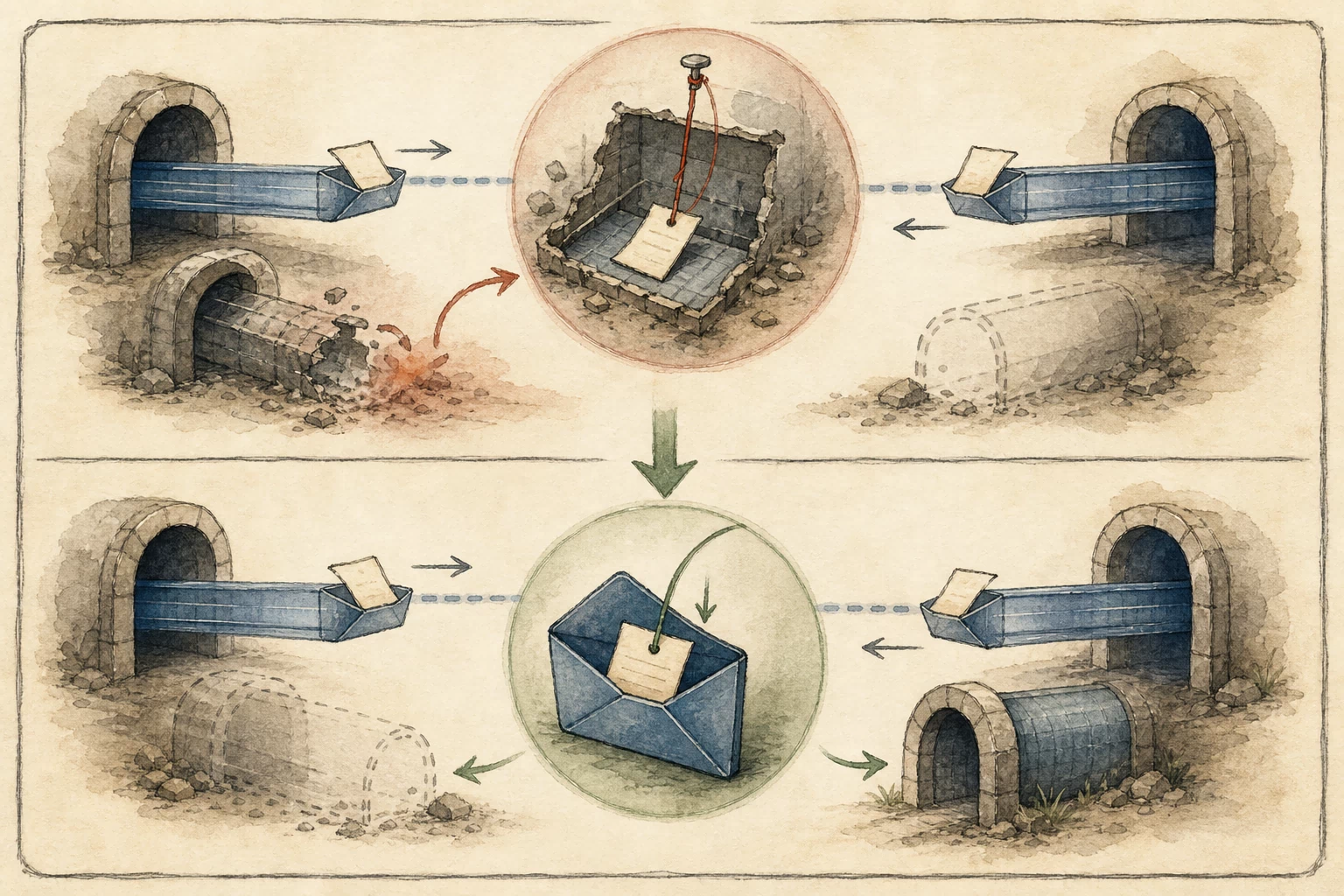
The blank envelope in the illustration is not a symbol for a safe email. It tells investigators to treat the message as the first identity event: who received it, when it was opened, whether the sending domain was newly registered, whether display name and address matched, who else received the same theme, and how long elapsed before a ticket, call, or meeting invitation. Each record may look ordinary alone. In sequence, the records can show someone establishing context and then using it to request control. That continuity is the first thread followed through the rest of this investigation.
Reviewers should also search actively for normal business that can explain the sequence. Finance may have received a real invoice from a similarly named supplier, an employee may have opened a technical ticket before the message arrived, and an outsourced help desk may appear as an unknown caller in the enterprise phone system. Supplier master data, purchase records, ticket creation, contractor schedules, and employee-initiated contact belong in the case. If a normal explanation covers message, call, and support activity, the alert may be reduced. If it explains only the invoice while an external meeting, control grant, and document activity remain, the investigation continues.
1.1 How an Ordinary Message Became a Memory for the Call
Email preservation should begin with the original RFC 822 item, Message-ID, delivery path, From and Reply-To, authentication results, sending infrastructure, subject, body, recipients, and first interaction time. Even when there is no URL, record any phone number, brand, invoice identifier, or stated callback method because those details may reappear during the voice phase. If several recipients receive similar invoices and are later contacted by people claiming to be the help desk, Message-ID families, sender domains, and time clusters can join what first appeared to be independent nuisance messages into one organized warm-up effort.
Call records give the message an action. Telephony, corporate directory, and help-desk systems can identify the calling and called numbers, ring and answer times, duration, transfer path, recording or transcript reference, and whether a matching internal ticket actually existed. Verification must originate through a known directory number or another independent channel; it cannot reuse a number supplied by the caller. A legitimate technician addressing a security problem or migration should be able to point to a registered ticket, responsible team, and approval record. Without those records, the invoice the user remembers is only a prop in the caller's account.
Detection has to accept that malicious meaning can be distributed across systems. An invoice message can score as low content risk, an unknown call can be common in telephony, and a screen share remains a legitimate feature. When the same user experiences all three within a short interval and a new remote-control process and bulk document access follow, the combined signal acquires direction. A useful alert should provide the sequence and original event identifiers so an analyst can reopen email, call, identity, and endpoint evidence. A label such as “suspicious phishing” is not a substitute for the path that produced it.
1.2 Keep the Two Clocks Separate
Rapid operations force a deliberate order between preservation and containment. After a high-confidence report, teams can freeze relevant mail and call metadata, record current login sessions, devices, meeting members, and remote-control processes, then revoke tokens and control rights. A premature reboot or tool deletion can erase short-lived cloud records, live connection details, or traces adjacent to a self-destructing message. Waiting too long for perfect evidence can allow document movement to continue. An executable playbook therefore assigns an owner, deadline, and preservation receipt to every action.
The multi-day pattern requires failed and unfinished contacts to remain searchable. No answer, a user's refusal, an expired code, an installation error, or an early meeting departure is not empty space. Those records show how an operator selected targets, adjusted a pretext, or changed channels, and they can warn of a next attempt. GTIG's five-call example is particularly instructive: the absence of an endpoint alert after the first call does not end the risk. Telephony, ticketing, and meeting queries need a window wide enough to keep the earlier attempts in view.
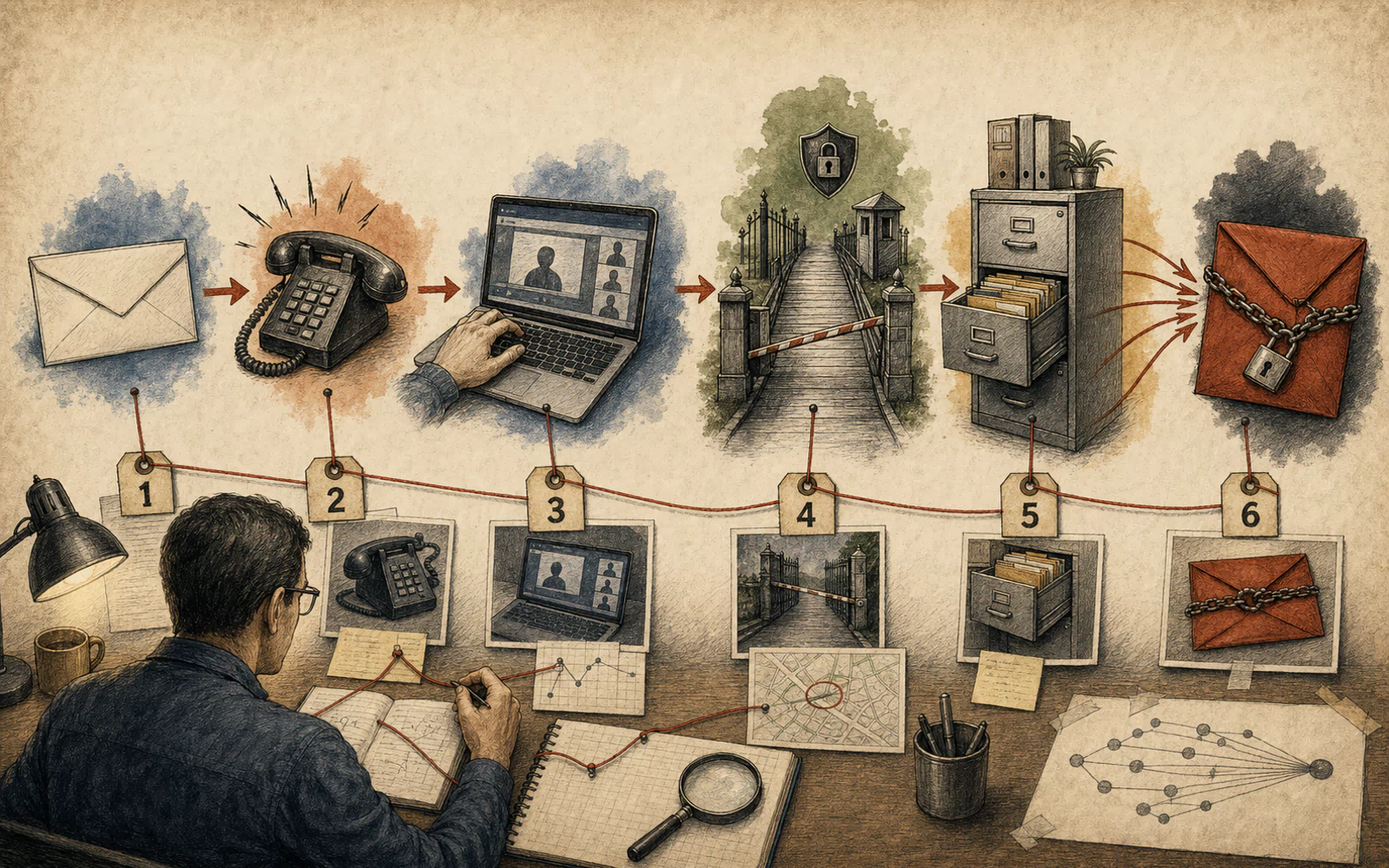
At this point the email still has not executed a program, yet it has completed its task: it made a stranger's request feel familiar. The next step leaves the inbox and enters what looks like a routine support process. The caller needs the target to open a meeting, enter a support code, approve screen control, or install software. In effect, the target becomes the deployment channel. The story shifts from what arrived to what the recipient was persuaded to do.
2 The Caller Turned the Target Into the Deployment Channel
GTIG observed callers posing as internal help-desk or security staff and describing an account problem, system issue, or data migration. They did not limit themselves to partners and executives; targets spanned seniority levels represented in public staff listings. The choice is practical. Anyone able to reach a corporate desktop, document system, or mapped share can provide an entry point. An investigation that filters only by title can miss the same sequence on administrative, finance, support, and junior professional accounts.
The reported channels were almost entirely normal workplace technology: Zoom, Teams, Quick Assist, Microsoft Terminal Services, and remote support or management products such as AnyDesk, Bomgar, Zoho Assist, and SuperOps. A product name alone proves neither intrusion nor control. The useful questions are who initiated this session, what prompt the user saw, who approved viewing or control, who owned the remote account and management tenant, when the session ended, and which child processes, files, and connections appeared while control was available.
Official documentation makes those authorization moments concrete. Quick Assist uses a time-limited security code, asks the sharer to approve screen sharing, and separately requests permission for full control. Teams “Give control” permits another participant to interact with shared content and send commands. Zoom remote control also requires approval by the sharing participant. GTIG did not report a vulnerability in these products. The incident turns on a caller who supplied a trusted explanation for visible prompts, causing a product-level permission to be mistaken for organizational approval.

This is also why blocking one utility rarely solves the full problem. If Quick Assist is disabled, an operator can request meeting control. If the company approves one RMM product, a session can still originate from an unregistered tenant. A valid software signature does not supply authorization for this use. A defensible allow condition should bind product, publisher, version, installation path, management tenant, initiating ticket, approving person, and session peer. Legitimate support then has a verifiable origin, while an imitation must break at least one recorded relationship.
A normal support session should be traceable backward from its result. The ticket explains the fault, actions under control fit that fault, the technician uses a corporate account, the remote tenant is registered, the user knows when control begins and ends, and the closed ticket records the resolution. A social-engineering session often leaves a break: caller identity cannot survive an independent callback, the organizer belongs to an external tenant, control exceeds the ticket, a package comes from a temporary address, or a service keeps connecting after departure. Those breaks are better escalation criteria than a vendor name.
2.1 Permission Buttons Are Incident Evidence
Quick Assist evidence should connect the support code, generating account, issue time, sharing account, view and full-control state to the Windows logon session, process launches, and network connections. When the organization does not use the tool, Microsoft's documentation supports management options to disable or remove it. When it is required, approved staff and recorded sessions matter, and users should accept help only after initiating the contact themselves. The incident report must distinguish when a remote party could see the display from when that party obtained control; an application launch does not summarize the whole session.
Teams and Zoom require the same precision. Preserve meeting ID, organizer, tenant, participant join and leave events, guest identities, share start and stop, control request and approval, chat links or attachments, and recording or transcript retention. An external participant is not automatically dangerous, and a control grant may support legitimate work. When those events overlap an IT-impersonation call, an unfamiliar invitation domain, and a command interpreter or installer, however, they form an authorization sequence that can be independently reviewed.
GTIG also reported the use of privnote.com to deliver self-destructing links or commands. Responders should not assume disappearance means no evidence remains. Browser history, DNS, proxy, TLS connections, clipboard telemetry, shell history, meeting chat, and a screen recording can preserve surrounding traces. Record who discovered the page, when it was found, whether it was still available, and how it was acquired. Do not trigger a one-time page in an unisolated environment simply to see what it contains.
2.2 Legitimate Remote Software Still Needs a Verifiable Origin
- Verify support initiation: determine whether the employee opened a ticket, which account created it, who approved it, whether the call came from a directory number, and whether ticket and meeting intervals align.
- Separate viewing from control: record screen sharing, control request, user approval, control release, and session close as distinct events. An application start does not prove the remote party gained keyboard and mouse access.
- Identify management ownership: extract RMM tenant, site, technician account, device-registration ID, policy, and remote endpoint. Keep the approved corporate tenant separate from a tenant that appears only during the incident.
- Trace installation origin: connect browser or shell, download URL, written file, signature, hash, MSI events, service, and first outbound session. For a portable program, add Prefetch, Amcache, and EDR execution evidence.
- Record actions under control: correlate the remote-control interval with child processes, window activity, file reads, clipboard use, network connections, and VDI launch to show what truly occurred while control was available.
- Verify the block: after ending the session, test whether the remote party can reconnect, whether a service continues, whether tenant registration remains, and whether a substitute tool appears. Preserve the console or endpoint receipt.
| Observation | Normal support should have | Change that warrants escalation |
|---|---|---|
| Caller identity | A directory number, registered ticket, and responsible team reachable independently | The caller insists on a supplied number, avoids ticket verification, or uses urgency to stop an independent callback |
| Meeting identity | An approved tenant and organizer, expected participants, and a stated support purpose | A consumer or unknown account organizes it, an unexpected external guest joins, or organizer and caller identities conflict |
| Screen privilege | The user understands view and control, and the control interval matches the ticketed task | The user is rushed into full control, windows change without explanation, or the session persists after work ends |
| Tool ownership | Approved product, publisher, version, path, tenant, and support account | A portable binary, unknown tenant, unusual path, temporary download, quiet installation, or new service appears |
| Controlled activity | Actions fit the issue, and file or network access can be explained by the ticket | The operator opens VDI, credentials, or document stores, searches sensitive terms, stages files, or reaches an external service |
| Session close | The technician releases control, leaves, closes the tool, and records the result | A background service remains, the remote side reconnects, or processes and document activity continue after the user leaves |
One public incident record shows the operator directing a victim to obtain a SuperOps package through cURL and install the MSI quietly. The investigative chain consists of observable state changes: a command interpreter initiated a network download, wrote a local file, and Windows Installer then processed a package named SuperOps.msi without an interactive display. Proxy, shell auditing, file creation, signature and hash, MSI events, and a new service provide concrete objects to follow.
Investigation of AnyDesk, Bomgar, Zoho Assist, or SuperOps should begin before installation and expand across parent process, download origin, original filename, path, publisher certificate, hash, service, scheduled task, startup item, configuration, tenant or session identity, remote address, and child process. Portable builds may have no installation record, which makes application control, Prefetch, Amcache, browser download history, EDR execution, and network telemetry important. Vendor legitimacy establishes code provenance; it does not establish organizational permission for this session.
Containment can block the confirmed remote session and unapproved tenant, preserve process, network, and configuration snapshots, and then isolate the host as business needs allow. Review whether the help desk had a corresponding ticket, whether the employee initiated support, whether a managed account started the session, and whether control overlapped document access. If those facts do not close, the device is more than a machine with a support tool installed. It is the starting point for the next identity transition, which GTIG observed between an employee's own computer and corporate VDI.
User prompts should be part of support design. Show organization, verified technician, ticket number, requested privilege, expected duration, and a clear stop method. Authorize full control, file transfer, clipboard, and credential operations separately, and mark external identities and unknown tenants visibly. After support, send the employee a receipt with time, technician, and action summary plus a direct way to report that the session was not requested. These measures do not eliminate deception, but they force a caller to explain more verifiable facts and create structured authorization evidence for review.
3 A Personal Computer Opened the Road Into VDI
The device that first receives screen control changes the forensic route. GTIG reported that an operator established a Zoom session on a personal BYOD device, then had the user open a Windows 365 or Citrix client and enter the corporate virtual desktop. The personal machine did not need to join the domain. If the remote party could see or operate a VDI session that the employee was already authorized to use, corporate systems would observe a successful login by the employee.
The confusing feature of this path is that the identity can remain constant. The email recipient, meeting sharer, VDI user, and document actor can all carry the same account name. What changes is who controls the screen, which device carries the session, and whether the user still understands and authorizes each action. Authentication logs can show that credentials or MFA were accepted, but they cannot alone identify who sat behind a shared display. The investigation must draw user, device, meeting, remote control, and virtual desktop as a session graph.
Minimum graph nodes include immutable user ID, authentication and token identifiers, MFA method, Conditional Access result, source IP and ASN, device ID and compliance, meeting ID, remote-control session, VDI broker login, assigned desktop or virtual machine, Windows logon ID, and each document service reached afterward. Display names and mail aliases are useful labels, not reliable join keys. Stable IDs, overlapping intervals, and explainable device changes provide a stronger connection.

The most important elements in the illustration are the receipts beneath the bridge. Every transition should record where it started, who authorized it, which object it entered, and how long it lasted. If a personal device lacks corporate EDR, meeting and network evidence may be more complete than endpoint evidence. After entry into VDI, broker, virtual-desktop, and document records become the new evidence center. Limited visibility in the first half does not erase the precise operations that can still be established in the second.
The graph also needs room for “unknown.” A personal device may leave only a meeting join time; the VDI broker may record a client address but no meeting control; an endpoint clock may differ from cloud time by several minutes. Beside each connection, the analyst should name its basis—direct identifier, overlapping time, matching network, or user account—and mark any logging gap. When a meeting recording or a more complete broker export appears later, one connection can gain confidence without rewriting the entire incident.
3.1 The User Name Stayed the Same While the Operator Could Change
Identity preservation should include sign-in result, risk decision, MFA detail, device claims, Conditional Access policy and outcome, token issue and revocation, target application, and session duration. A VDI login from a previously unregistered device or a first-seen ASN after a voice event should be aligned with the meeting interval. Microsoft's device-access documentation explains that an organization can require a device to be marked compliant. That control reduces risk from personal-device entry; it is not a universal guarantee against every social-engineering path.
VDI evidence should include broker authentication, client type and version, source-device attributes, resource assignment, connect and reconnect, clipboard and drive-redirection policy, disconnect and logoff, virtual-machine identity, and Windows logon. One network interruption can produce multiple reconnect records and should not be counted as multiple intrusions. Conversely, a single meeting-control window spanning those reconnects can show continuity of access. Time synchronization and the preservation of source time zones determine whether those relationships can be established.
Endpoint evidence moves the question from seeing a desktop to acting within it. Windows process trees, Explorer and browser activity, command lines, file access, connections, clipboard, remote-desktop or control components, and the user logon ID should all attach to the virtual desktop. An operator using only the image and mouse may create no distinctive malicious executable. Document queries, window focus, bulk downloads, and unusual outbound traffic can still demonstrate that the purpose of the session changed.
3.2 Preserve the Bridge Before Taking It Down
| Transition | Preferred join keys | Counterevidence to preserve |
|---|---|---|
| Email to call | Immutable user ID, receipt time, caller, and ticket | A genuine help-desk record for the same problem, employee-initiated support, and independent callback result |
| Call to meeting | User, meeting ID, join time, invitation domain, and organizer tenant | Approved external support, a corporate meeting template, a normal organizer account, and scheduled appointment |
| Meeting to control | Control request, approval event, support code, remote account, and interval | View-only access, a rejected request, an expired code, or sharing that ended before the activity |
| Control to VDI | Time overlap, device, source network, broker session, and Windows logon ID | An independent login from another managed device, no meeting-control grant, or nonoverlapping VDI activity |
| VDI to documents | Virtual machine, logon ID, repository session, object ID, and application process | Background indexing, scheduled sync, another user session, or a service account producing the read |
| Documents to egress | Local hash, reading process, destination session, byte count, and destination object | The file never landed, the connection preceded creation, transfer failed, or the remote record represents another object |
Response begins with the most perishable information: current meeting members, support code, remote-control session, VDI connection, identity token, running processes, network endpoints, and open files. Teams can then stop the control channel, revoke sessions and tokens, freeze high-risk document activity, and isolate the virtual desktop or endpoint that requires preservation. Work may proceed in parallel, but the case record must include time, operator, object, and result so later reviewers know which access preceded containment.
Revocation cannot stop at a password change. Issued tokens, browser sessions, VDI connections, remote-management tenancy, meeting links, mail-forwarding rules, and application grants may remain valid. The identity provider, VDI broker, meeting platform, RMM console, and mailbox each require termination followed by verification. When the initial device belongs to an employee, evidence collection must follow established legal and privacy procedures so the investigation does not expand onto personal property without approval.
Once the bridge is preserved and removed, the question changes from who controlled the screen to what the controller found. GTIG's material shows deliberate enumeration of local directories, OneDrive, mapped shares, and iManage, with terms tied to tax, audit, agreement, and identity data. The virtual desktop was a corridor. The document systems were the next door.
4 The Document Systems Revealed Where the Value Lived
After entering the work environment, UNC3753 moved quickly from access to selection. GTIG observed local directory, OneDrive, and mapped-share enumeration, plus iManage searches for terms including W-2, W-9, 1099, audit, client agreements, and SSN. Those queries act as a value index: tax forms, audit material, client agreements, and Social Security numbers can support extortion, fraud, and pressure against clients. Search precedes transfer, which makes it one of the earliest records that can show intent.
A search hit does not show that a file left. Investigation should maintain distinct states for query, results display, preview, open, download, sync, local copy, compression or rename, and external upload. Each state needs its own event and time. Converting a broad query into “all data stolen” exaggerates exposure. Counting only network-transfer bytes can miss sensitive copies already downloaded to a controlled virtual desktop. Accurate reporting comes from object-level states, not from one guessed total.
GTIG also observed staging in directories such as Downloads and Roaming. Those locations are not inherently malicious, yet they are convenient for short-term aggregation from multiple repositories. Record source object and version, original and local paths, create and modify times, size, hash, creating process, archive members, and deletion. When one document is previewed, downloaded, renamed, and repackaged, deduplication should use object ID, version, and content hash. A filename alone can multiply one object into several false counts.

The quality of repository auditing determines reconstruction precision. Microsoft Purview, Google Drive auditing, and document-management platforms expose different activities, fields, and retention conditions. Some record downloads, some expose previews or sharing, and some summarize client synchronization. During the incident, export original records together with API filters, page range, acquisition time, and checksum. Document the known gaps created by licensing, configuration, delay, and retention so later confidence statements have a visible foundation.
Anomaly judgments must also respect the business calendar. Tax season, an audit delivery, acquisition diligence, or a major client migration can legitimately increase searches for W-2s, 1099s, agreements, and bulk downloads. A useful baseline is stratified by role, matter, workday, and project phase and compared with 30 to 90 days of similar activity. Even when volume fits a seasonal peak, a new device, a recent help-desk call, a first-seen external share, and an unusual staging directory can still raise the same access to incident priority.
4.1 Query, Preview, Download, and Staging Are Four Different Events
An object ledger should include repository, site or workspace, client or matter, immutable object ID, version ID, full path, owner, sensitivity label, action, actor ID, session, device, source IP, source time, normalized time, and byte count. Query events also need terms, filters, result count, and pagination. Downloads need client or application. Permission changes need the previous and new principal. A shared model allows iManage, OneDrive, network-share, and local-file evidence to answer the same questions.
Network shares often lack the rich object audit available in cloud services, so SMB, file-server logging, Windows object access, EDR file events, and VDI records may have to fill the gap. A local OneDrive sync copy can overlap cloud download and local read; confirm the sync root, placeholder state, and actual hydration time. iManage matter relationships can identify affected clients and engagements, but public reporting should not disclose a victim name or unverified content.
Search terms show what the operator wanted, the file list shows what the session could reach, and network or destination records show where material traveled. Those conclusions belong on separate lines in a report. Each object can carry six states—query hit, viewed, downloaded, staged, sent, and destination confirmed—with evidence identifiers and confidence. Legal, privacy, client, and technical teams then work from one evolving set of facts.
4.2 The 1.7 GB and 14.4 GB Belong to One Reported Incident
| Object state | Minimum evidence | Statement it can support |
|---|---|---|
| Query hit | Query event, term, returned object or result count, actor, and time | The object or category appeared in results; content opening or copying remains unconfirmed |
| Viewed | Preview or open event, object ID, version, session, and client | Content was visible in the session; a complete local download does not follow automatically |
| Downloaded | Successful download or hydrated sync copy with device, path, size, and time | The file reached a controlled device; later staging or external transmission still requires evidence |
| Staged | Source-to-copy mapping, hash, creating process, and archive membership | Material entered an aggregation location and was prepared for possible transfer; destination is unconfirmed |
| Send strongly supported | Reading process, external connection, matching interval, explainable bytes, and destination detail | Multiple sources support departure from the managed environment, with destination receipt status stated |
| Destination confirmed | Provider or remote record matching object, account, time, size, or hash | A specific object reached a specific destination; the result does not expand to unmatched files |
GTIG supplied an unusually useful quantitative example. In one incident, approximately 1.7 GB moved from a local OneDrive folder to Google Drive. After a pivot through VDI, the operator transferred about 14.4 GB through WinSCP. The figures show a change of channel and scale within that case. They are not a campaign total and cannot be applied automatically to another organization. Every article and incident briefing should bind each number to its route and reported stage.
GTIG said Google disabled Drive accounts associated with the campaign. That action establishes vendor intervention against related accounts, but it does not disclose how many accounts existed or independently establish which local files arrived. Where Google Workspace or proxy auditing is available, upload, download, copy, document ID, actor, and IP can be reconciled with the local object table. When the destination account belongs to the operator, local DNS, TLS, proxy, and browser history may be the most practical evidence.
With the object ledger complete, investigators can answer where value lived and which material entered staging. The files still needed a route out. UNC3753 did not require a mysterious protocol: a browser, email, WinSCP, and Rclone are all common tools. The next problem is identifying unauthorized movement inside ordinary software activity without turning what source code can do into a claim about what this incident did.
5 Ordinary Transfer Tools Carried Extraordinary Context
GTIG reported three principal routes: browser upload to an operator-controlled consumer file-sharing service, portable WinSCP or Rclone, and forwarding through email. The FBI's 2025 Silent Ransom Group advisory also mentions WinSCP and Rclone and notes that portable builds can be used when administrative rights are unavailable. No installation, a valid signature, or an allowed business protocol grants authorization to the particular transfer.
A tool name is only the entry point. Evidence needs to show who launched the process, which files it read, which destination it reached, what account or configuration it used, how many bytes it sent, how many retries occurred, whether the remote side confirmed objects, and whether an approved business task existed during the interval. Browser upload needs connection history, destination, form or upload activity, and local reads. Email needs message trace, recipient, attachment object, rule change, and delivery. WinSCP and Rclone need process, configuration, history, logs, and network sessions.
For reproducibility, this review pins Rclone at commit b5a81dab768ad97b5c447ba0064a1b41617eb70f and WinSCP at commit c3e7c9cd42b32990961bf6f4ba5c0fcab2fe1d8f. A pinned revision answers which code was reviewed. It does not identify the build used in a particular incident. Public reporting supplies no binary hash, version, arguments, backend, or remote path for every execution. Source code is therefore used to explain possible collection points, not to manufacture incident commands.

The value of source review is that it decomposes a product name into observable operations. It can show that a copy job resolves source and destination, decides whether an object needs transfer, schedules work, and reports progress. It can show that WinSCP automation opens sessions, uploads files, synchronizes directories, and emits progress or completion events. It cannot infer that an intruder invoked a function merely because the function exists. Actual host and network evidence remains decisive.
False-positive review also turns on context. Backups, web publishing, data migration, and client delivery may legitimately use Rclone or WinSCP and produce substantial outbound traffic. Normal jobs tend to have a known service account, fixed host, managed configuration, approved destination, change ticket, predictable schedule, and task log. A process that starts from a user's download directory, reads sensitive objects just taken from a repository, reaches a first-seen destination, and overlaps an impersonated-IT session deserves immediate response even when its byte count is modest.
5.1 Fixed-Revision Source Explains Capability
In the pinned Rclone revision, the copy command in cmd/copy/copy.go resolves source and destination filesystems and selects directory or single-file handling. Pairing and transfer-decision paths in fs/sync/sync.go send candidate objects through the copy workflow. Defenders can therefore look for source paths, destination configuration, enumeration, process duration, concurrent connections, transfer bytes, and error retries. The function locations anchor the research; they are not an operator recipe.
In the pinned WinSCP revision and official Session API documentation, Session.Open establishes a remote session, while PutFiles, PutFile, and SynchronizeDirectories handle upload or synchronization and allow progress and completion events. Official XML logging can record structured operations across protocols, while the documentation also notes limitations such as GUI background transfers. If an enterprise did not enable the relevant logging in advance, responders cannot assume the events will appear after the incident.
Case collection should continue searching for binary hash, signature, path, parent process, full arguments, configuration, credential source, known_hosts, session log, shell history, recent files, Prefetch, Amcache, and EDR. When those artifacts are missing, conclusions should remain at the appropriate level: tool or capability observed, outbound session observed, or a measured quantity of bytes sent. Writing an unknown parameter as a confirmed command creates a fact that no reviewer can reproduce.
5.2 Objects, Bytes, Sessions, and Destinations Must Reconcile
| Difference observed | Check first | How to report it |
|---|---|---|
| Network bytes exceed file total | Protocol overhead, repeated handshakes, failed retries, other flow content, and counter direction | Preserve raw counts and an explainable range; do not treat every byte as unique file content |
| Network bytes are below staging total | Compression, partial selection, interruption, multiple exits, sampling, and missing time windows | List confirmed sent material separately from staged objects that lack transfer evidence |
| Process exists with no egress | Launch failure, missing configuration, network block, and telemetry coverage on the correct device | Confirm execution or capability; do not state that data transmission completed |
| Egress exists with no process | Proxy mapping, container or VDI ownership, browser children, retention, and endpoint coverage gaps | Confirm outbound communication while keeping operator and read objects unresolved |
| Provider has more objects | Old uploads, shared accounts, other devices, remote copies, and local acquisition window | Associate only objects whose time, account, size, or hash matches; investigate the rest separately |
| Local list exceeds provider list | Account disablement, deletion, logging delay, failed upload, alternate target, and renaming | Separate send support from destination confirmation and state provider coverage and acquisition time |
The first ledger comes from repositories: objects queried, downloaded, and staged. The second comes from endpoints: processes that read local files and created archives or copies. The third comes from the network: destination, protocol, interval, sent and received bytes, failures, and retries. The fourth comes from a provider or remote service: uploaded object, account, document ID, size, and result. The four totals do not have to match exactly, but compression, overhead, retry, deletion, or a logging gap must explain the difference.
Byte totals are especially easy to misread. A failed upload may resend the same block; compression can reduce the transfer below the source total; TLS and protocol overhead can push network bytes above file size; and browsers or sync clients can send metadata concurrently. Preserve raw counters and buckets, deduplicate by object hash, document the range and assumptions, and have another analyst repeat the calculation. A highly precise total with no explainable origin has little audit value.
When object and transfer evidence align, the case can distinguish destination confirmed, strongly supported as sent, staged only, queried only, and unresolved material. That list directly informs notice, client communication, and executive decisions. It also supplies the measuring stick for the next message. GTIG observed extortion emails arriving about thirty minutes after access ended in some incidents, but every data claim in the message still has to be tested against local reconstruction.
6 Thirty Minutes Later, Email Turned Theft Into Pressure
In some incidents described by GTIG, an unbranded extortion email arrived less than thirty minutes after access ended. It imposed a three-day deadline, threatened to contact employees or clients, and referred to publication on a data-leak site called LEAKEDDATA. The rapid transition suggests a tightly connected sequence between data operations and pressure. It also means the first snapshots of identity, cloud, and proxy logs may still be available when the organization receives the threat.
The lack of a brand reflects an important historical change. GTIG said UNC3753 has been active since at least March 2022, with early overlap with tracking names such as UNC2686 and BazarCall, and used LockBit.BLACK in 2022. More recent activity moved toward data theft followed by direct extortion. The absence of an encryption screen or ransomware note does not make the impact minor. Business systems can remain available while confidentiality and client trust are already in crisis.
The extortion message is evidence and a statement by an interested party. Preserve the original item, full headers, Message-ID, sending infrastructure, recipients, attachment and links, first-open time, subsequent thread, and payment or contact direction, then coordinate through counsel and law enforcement as appropriate. A public report need not reproduce the full threat. The investigation needs testable claims: which objects were named, what sample was shown, how much data was alleged, when it was acquired, and whether the ledgers from the previous chapters support those assertions.

The three-day demand should not replace the organization's decision process. The first hour stabilizes identity and remote sessions, stops continued download and egress, preserves the message and short-retention logs, engages incident command and counsel, and determines whether employee or client contact is ongoing. Evidence then supports review of data types, contract relationships, jurisdiction, insurance, and law-enforcement communication. The attacker’s three-day deadline is not a universal notification clock; obligations still follow each organization’s facts and applicable requirements.
A leak site's changes should be collected like other cloud evidence. From an isolated research environment, record page URL, DNS and certificate, acquisition time, visible title, sample list, download-link state, and a screenshot, and hash any saved file. Production identities and ordinary employee devices should not browse it directly. If the page later disappears, changes name, or adds objects, differential snapshots can establish what the operator published and when. A volume claim on the page still needs reconciliation against the local object ledger.
6.1 An Extortion Claim Must Return to Local Evidence
If a message supplies file samples, handle them in an isolated environment and record filename, size, hash, metadata, visible content, and custody before matching them to repository object ID, version, download, and staging records. A sample can prove possession of particular content without proving possession of the entire directory. When the operator supplies only a screenshot or file tree, compare path, time, naming, and content to the real system and document what could have been imitated from an older leak or public material.
Exposure assessment should organize information by person, client, matter, data category, object, version, and evidence state, not merely by archive name. Tax forms, Social Security numbers, client agreements, audit material, and email may require different protective measures and analyses. For each group, state confirmed possession, strongly supported transfer, staging only, or query only, with the reviewer identified. Management can then plan client contact, identity protection, and litigation preservation from an intelligible record.
When the operator threatens employees and clients, communications teams should prepare a counsel-reviewed factual version, help the service desk recognize follow-on phishing, and tell affected people which official channels can authenticate a message. The operator should not become the first source explaining the event to clients, but the organization should also avoid absolute assurances before evidence matures. Every external call, message, and leak-site change belongs on the case timeline with acquisition time and preservation detail.
6.2 Several Clocks Run During the First Hour
- Technical track: end confirmed sessions, revoke tokens, restrict repository download and external sharing, block abnormal egress, isolate evidence-bearing endpoints, and verify every control.
- Evidence track: freeze extortion mail, cloud audit, meeting, RMM, VDI, endpoint, network, document, and telephone records with query conditions, original time, exporter, and checksum.
- Data track: reconstruct query, download, staging, and send state by object and version. Identify people, clients, matters, and data classes while recording evidence strength and gaps.
- Legal track: have qualified counsel assess contract, regulatory, preservation, law-enforcement, insurance, and notification issues, with each decision tied to established facts and time.
- Communications track: create one path for employees, clients, media, and partners. Prepare verified facts, unknowns, protective actions, and an update cadence while collecting follow-on contacts.
- Decision track: incident command regularly summarizes knowns, open questions, risk, next actions, and owners from every track so the operator's deadline does not take over the response.
If the operator has begun calling employees or clients, telephony and service desks should collect calling number, time, target, a concise account of the pretext, and any link, then publish a clear independent-callback process. Identity teams should watch password resets, MFA changes, and new-device registration; mail teams should inspect external forwarding, send-as activity, and unexpected OAuth grants; document teams should monitor continued search and bulk access. Follow-on social engineering can exploit public confusion, and one trusted reporting path reduces new transfers of trust.
Up to this point, the story appears to live in messages, calls, and screens. The FBI's 2025 advisory adds another door: after a call, a person claiming to be an IT technician may arrive in person and connect a storage device. GTIG assessed this physical method as likely associated with UNC3753 while explaining why it could not formally attribute the cases. The next chapter must preserve the exact distance between those conclusions.
Protective measures should follow confirmed data types. If tax or identity records are affected, prepare identity monitoring, fraud guidance, and a dedicated help channel. If client agreements or audit files implicate third parties, first confirm contractual contacts and confidentiality process. If mail or address books may have left, warn employees and clients about follow-on calls impersonating the organization. Every measure should define its eligible population, activation basis, service period, privacy handling, and update path, turning “support is available” into an operational and measurable commitment.
7 The Same Trust Test Moved From the Phone to the Lobby
The FBI's May 23, 2025 advisory, “Silent Ransom Group Targeting Law Firms,” maps Silent Ransom Group to names including Luna Moth, Chatty Spider, and UNC3753. It reports a change observed from April 2025: an operator calls while posing as IT, then sends a person claiming to be a technician to the site, where that person connects a storage device to a victim computer. Social engineering has extended from remote permission into visitor reception and a physical port.
The path still depends on the same mechanism. Reception does not see someone forcing entry; it sees a person who fits the story established by the earlier call. An employee does not see an unknown malicious program; the employee sees a technician who has arrived to fix a problem and an ordinary storage device. If visitor booking, ticket, identity check, escort, and device registration are independent, each record can look plausible while the visit passes. Effective verification makes those records point to one another.
GTIG's 2026 report calls recent physical activity likely associated with UNC3753 because of similarities in operational structure, timing, and targeting. It also says limited forensic evidence and the absence of subsequent extortion prevented formal attribution. That qualification is part of the analysis. The FBI's alias mapping, the FBI-reported on-site method, GTIG's likely association, and GTIG's inability to attribute formally should remain four distinct statements.

The FBI also reviews the group's earlier subscription-billing callback activity and its use of portable WinSCP or Rclone before direct extortion. Historical similarity helps generate hypotheses, but it cannot assign every incident that uses these tools or pretexts to one actor. The advisory cautions that indicators can be reused. Domains, IP addresses, tools, and filenames gain meaning when evaluated with victim selection, time, session, and action sequence.
Physical records have their own preservation risks. A third party may host the visitor platform, cameras may retain only a few days, paper reception logs can be overwritten, and access control may use a different time source from the endpoint. Incident command should issue early preservation requests for a specific date, place, visitor, and device, establishing the data controller, export format, retention, and legal process. Camera review should record visible facts—person, object, direction, and time—without guessing identity or hardware model from an indistinct image.
7.1 Attribution Language Is Evidence Too
GTIG's UNC3753 attribution for the remote campaign draws on infrastructure, registrar, victimology, staging-directory, and other links. The report also describes development since at least 2022 and a shift around March 2025 from subscription callback lures toward internal IT impersonation. A research article can explain those grounds and confidence terms. Similar narrative shape alone cannot add an undisclosed organization, person, or incident to the cluster.
The absence of follow-on extortion in the physical cases is informative because GTIG's remote campaign closely connected theft and extortion. It might mean an attempt failed, data did not leave, a later phase has not appeared, evidence was not shared, or another operator was involved. The public record cannot select one explanation. The investigation should retain the alternatives and search outbound, file, email, and client-contact records.
Indicators require the same precision. GTIG published patterns such as `
7.2 One Visit Needs a Physical and Digital Timeline
- Before arrival: verify requester, ticket, directory callback, purpose, approver, expected person, and expected equipment. An internal owner must reconfirm any last-minute change.
- At entry: record identity check, visitor identity, photo, credential number, badge, entrance, time, escort, and carried equipment. Do not use a contact supplied by the caller for approval.
- During contact: record room, workstation asset, logged-on user, technical action, inserted-device serial, start and stop, and escort. Block or mount unknown media read-only according to policy.
- After departure: recover the badge, preserve exit and time, immediately export device mount, file access, process, and network events, and inspect new accounts, services, and remote-control software.
- Time correction: use badge, known telephone, or endpoint events to measure drift among reception, camera, visitor, and host clocks. Preserve source time and the conversion method.
- Attribution review: compare physical method, infrastructure, selection, staging, transfer, and later extortion separately. If only the story is similar, maintain an investigative hypothesis.
| Public judgment | Source and basis | Precision used here |
|---|---|---|
| Remote activity is UNC3753 | GTIG links infrastructure, registrar, victimology, staging directories, and other evidence | Use GTIG's attribution wording with its activity period and observed scope |
| Silent Ransom Group aliases | The FBI directly lists Luna Moth, Chatty Spider, and UNC3753 | Present this as the FBI's mapping without merging every third-party label |
| The physical method exists | The FBI reports a caller followed by a false IT technician who inserts storage media | Treat it as an FBI-reported tactic without supplying an undisclosed victim outcome |
| Physical activity is likely related | GTIG compares operational structure, time, and target selection | Retain the “likely” level and do not upgrade it to formal attribution |
| Formal attribution remains unavailable | GTIG cites limited forensic material and no observed follow-on extortion | Keep missing evidence as an open branch and do not fill the gap from similarity |
| IOCs support searching | GTIG publishes patterns and IPs; the FBI warns that indicators may be reused | Use them for historical search and context, joined to sessions, objects, and actions |
Endpoint work should search USB mount and unmount, plug-and-play, device serial, vendor and product identifiers, volume label, driver load, device-control decision, file reads and writes, process execution, shortcut, and recent-file traces. Microsoft Defender for Endpoint's device-control reporting describes relevant event classes; availability depends on deployment and policy. Even after a storage device leaves, host enumeration and file-system traces may retain its route.
Prevention rests in ordinary procedure. A technician must correspond to a registered ticket and be verified through a directory number. An internal owner escorts every visit. Unknown removable media is blocked or read-only by default, with exceptions tied to device serial, user, purpose, and expiry. High-sensitivity endpoints record large reads. Once these controls and evidence are connected, remote calls, the VDI bridge, and an on-site USB visit belong in one case model. The final question is how to reclaim every borrowed trust path and prove the environment has recovered.
8 Recovery Must Close Every Borrowed Path of Trust
A complete response cannot stop with removal of a remote-control utility or a password change after an extortion message. UNC3753's route crosses mail context, caller identity, meeting permission, personal devices, VDI, document rights, transfer software, external services, and physical access. Any path that remains valid can support reentry or leave the investigation incomplete. Recovery begins with an object register—identity, session, device, tool, repository, file, destination, message, and visitor—with a state, owner, and validation record for each.
The first phase is evidence-safe containment. Freeze mail and document auditing, preserve identity and meeting sessions, remote configuration, running processes, connections, VDI broker records, and USB activity, then revoke tokens, end meetings and remote control, restrict downloads and egress, and isolate systems that require preservation. If a business service cannot stop immediately, document the temporary compensating control, expiry, and approver. Every operation needs a verifiable receipt; notifying an administrator is not the same as completion.
The second phase is scope and eradication. Hunt around confirmed users, domains, IPs, RMM tenants, hashes, meeting IDs, VDI resources, search terms, staging paths, and destination accounts to find other employees and devices with the same sequence. Remove unapproved control software, services, scheduled tasks, mail rules, and application grants; rotate exposed credentials and keys; repair sharing; block destinations; and inspect affected personal devices and on-site endpoints through the approved process.

The third phase is monitored recovery. Before reopening VDI, bulk document access, external sharing, SSH, or file-transfer paths, validate that device access, RMM allow rules, repository alerts, egress controls, and USB policy produce expected events. Place affected accounts and devices under enhanced monitoring for new help-desk calls, unexpected device registration, repeated searches, mail forwarding, and consumer file sharing. Monitoring ends only after a defined clean interval and owner approval.
Recovery measures should track both risk and business health. Teams can count unapproved remote sessions, unmanaged-device VDI attempts, bulk-document alerts, unknown USB writes, anomalous outbound transfers, and failed help-desk verification while also recording legitimate support completion, managed-device latency, and false-positive handling time. A fall in alerts means little if logging disappeared or users bypassed the process. Every trend should identify source coverage, detection revision, and the result of a sampled review.
8.1 Order Work by the Speed at Which Evidence Disappears
An executable order has eight actions: establish incident command and the time basis; preserve changing sessions and messages; block remote control and egress; revoke identity and VDI access; export cloud, repository, endpoint, network, and physical records; build the object-level exposure table; complete eradication and credential rotation; and restore under monitoring. Work can be parallel, but dependencies must be visible—for example, preserve available provider audit before disabling the destination account, and collect needed evidence before rebuilding a device.
Scoping should cover a defensible window before the first warm-up email and after the final known extortion message or visit. Historical hunting should look not only for IOC matches but for the sequence: linkless invoice, anomalous call, external meeting or support code, new remote control, BYOD-to-VDI entry, document search and staging, and consumer-cloud or SSH egress. Missing steps do not automatically exclude an incident because logging may not have been enabled. The report must state availability and coverage for each source.
After eradication, a second analyst should independently derive the key findings from archived evidence: initial contact time, control authorization interval, VDI entered, objects queried and downloaded, staged set, confirmed destinations, sent bytes, extortion arrival, and physical visit. Differences between the two reviews should be resolved against source records. Independent review catches technical mistakes and prevents assumptions made under pressure from quietly becoming facts.
8.2 Every Control Needs Acceptance Evidence
| Control plane | Controlled test | Passing evidence |
|---|---|---|
| Help-desk identity | An unknown number requests urgent support, reset, or installation | The employee calls back independently; ticket, second approval, refusal, and report have timestamps |
| Remote control | An external tenant requests sharing and full control, and a portable tool attempts execution | Control is not granted, application policy acts, and requester and endpoint events enter an alert |
| BYOD and VDI | An unmanaged device uses a valid account and MFA to reach a corporate desktop | Compliance policy blocks it, identity and broker record why, and a managed device still works |
| Document repository | A synthetic user quickly searches and downloads test files across matters | The alert includes query, object, user, session, device, count, and download list |
| Egress and USB | Synthetic files go to a test cloud, SSH, external mailbox, and registered or unknown USB | Denied paths stop; approved paths are metered; process, object, destination, and bytes correlate |
| Evidence reproduction | A second analyst rebuilds the core timeline and exposure table from archived inputs only | Key times, objects, and conclusions agree; differences have source explanations and checksums |
The story returns to the first message. It did not cross defenses through a hidden payload. It caused ordinary features to receive misplaced trust: the recipient trusted the invoice, the employee trusted the caller, the screen trusted permission, VDI trusted the user, the repository trusted the session, the transfer tool trusted its operator, and reception trusted the visitor. Security does not require suspicion of every support request. It requires every grant of trust to have a verifiable origin, visible use, and a revocation path that works in time. Only then does the story planted by an empty email truly end.
Research record
9Evidence, objects, and sources
The material below preserves the identifiers and references used in this report.
9.1Searchable observables
Values copied from the cited material or recovered during this investigation, with the context needed to use them.
| Type | Value | Context | Action |
|---|---|---|---|
| IPv4 | 192.236.147.131 | Related infrastructure published by GTIG; use with context | |
| IPv4 | 192.236.147.138 | Related infrastructure published by GTIG; use with context | |
| IPv4 | 193.141.60.212 | Related infrastructure published by GTIG; use with context | |
| IPv4 | 192.236.154.158 | Related infrastructure published by GTIG; use with context | |
| IPv4 | 192.236.146.173 | Related infrastructure published by GTIG; use with context | |
| IPv4 | 174.169.162.62 | Related infrastructure published by GTIG; use with context | |
| IPv4 | 64.94.84.97 | Related infrastructure published by GTIG; use with context |
9.2Research objects
Products, actors, techniques, affected objects, and control points discussed in the report.
Also tracked as Luna Moth, Chatty Spider, and Silent Ransom Group; name relationships follow public GTIG and FBI material
A legitimate service GTIG reported used for self-destructing links or commands
Brand-impersonation pattern published by GTIG
Brand-impersonation pattern published by GTIG
Brand-impersonation pattern published by GTIG
Legitimate tools named in public reporting; a product name alone is not a malicious verdict
9.3Event chronology
- UNC3753 activity history
GTIG traces early overlap with UNC2686 and BazarCall activity and records the use of LockBit.BLACK in 2022.
- Shift toward internal IT impersonation
GTIG observed a gradual move from subscription callbacks toward help-desk or security impersonation.
- On-site technician and USB
The FBI reported a tactical change involving a caller followed by a false technician who connects storage media.
- Dozens of US organizations targeted
GTIG described sustained targeting of legal, financial, and professional-services organizations, with some data operations beginning in under an hour.
- GTIG publishes its research
The report details remote and physical paths, infrastructure, ATT&CK mapping, and defensive recommendations.
9.4Sources and material
- GTIG: Seeking Counsel — Ongoing Targeted Campaign Against US Law Firmshttps://cloud.google.com/blog/topics/threat-intelligence/targeted-campaign-us-law-firms
- FBI PIN 20250523-001: Silent Ransom Group Targeting Law Firmshttps://www.ic3.gov/CSA/2025/250523.pdf
- Microsoft: Quick Assist documentationhttps://learn.microsoft.com/en-us/windows/client-management/client-tools/quick-assist
- Microsoft Support: sharing and control in Teams meetingshttps://support.microsoft.com/en-us/office/present-content-in-microsoft-teams-meetings-fcc2bf59-aecd-4481-8f99-ce55dd836ce8
- Zoom Support: requesting or giving remote controlhttps://support.zoom.com/hc/en/article?id=zm_kb&sysparm_article=KB0065790
- Zoom Support: remote support sessionshttps://support.zoom.com/hc/en/article?id=zm_kb&sysparm_article=KB0068720
- Microsoft Intune: device-based Conditional Accesshttps://learn.microsoft.com/en-us/intune/intune-service/protect/create-conditional-access-intune
- Microsoft Purview: audit log activitieshttps://learn.microsoft.com/en-us/purview/audit-log-activities
- Google Workspace: Drive log eventshttps://support.google.com/a/answer/4579696
- Microsoft Defender for Endpoint: device control reporthttps://learn.microsoft.com/en-us/defender-endpoint/device-control-report
- Rclone: copy command documentationhttps://rclone.org/commands/rclone_copy/
- Rclone pinned revision: cmd/copy/copy.gohttps://github.com/rclone/rclone/blob/b5a81dab768ad97b5c447ba0064a1b41617eb70f/cmd/copy/copy.go
- Rclone pinned revision: fs/sync/sync.gohttps://github.com/rclone/rclone/blob/b5a81dab768ad97b5c447ba0064a1b41617eb70f/fs/sync/sync.go
- WinSCP: Session APIhttps://winscp.net/eng/docs/library_session
- WinSCP pinned revision: Session.cshttps://github.com/winscp/winscp/blob/c3e7c9cd42b32990961bf6f4ba5c0fcab2fe1d8f/source/core/Session.cs
- WinSCP: XML logginghttps://winscp.net/eng/docs/logging_xml
- WinSCP: session logginghttps://winscp.net/eng/docs/logging
- CISA / NSA / MS-ISAC AA23-025A: malicious use of remote monitoring and management softwarehttps://www.cisa.gov/news-events/cybersecurity-advisories/aa23-025a